

Description
Summary of common problems:
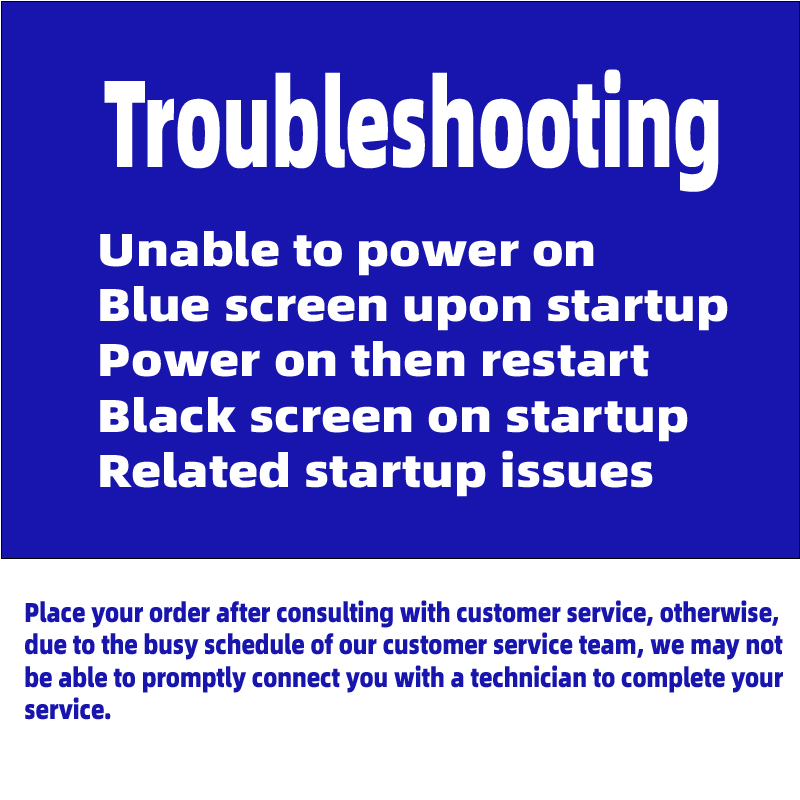
Before placing an order, communicate with customer service to determine whether you require services; otherwise, it may be difficult to promptly connect with a technician to complete the services.
1. Hardware issue – Memory failure
Poor contact, oxidized gold fingers, or physical damage can lead to a blue screen (with a code containing “MEMORY_MANAGEMENT”).
Solution: Re-seat the memory module and clean the gold fingers.
Hard disk problem
A bad track or damaged partition table can cause a blue screen, which can be detected using CrystalDiskInfo.
Solution: If there are too many bad sectors, the hard drive needs to be replaced.
Graphics card anomaly
Driver conflicts or hardware failures (such as video memory malfunctions) can trigger a blue screen.
Solution: Uninstall the driver in safe mode and reinstall the official version.
Poor heat dissipation
Overheating of the CPU/graphics card will trigger a protection mechanism.
Solution: Clean the dust from the computer case and inspect the cooling system.
Insufficient power supply
Insufficient or unstable power supply can lead to automatic restarts.
Solution: Check the power supply wattage and replace it if necessary.
II. Software Issues – Driver Conflict
The graphics card/motherboard driver version is incorrect or incompatible with the system (especially after Windows 10/11 updates).
Solution: Enter safe mode to uninstall the problematic driver, and download a stable version from the official website.
System file corruption
The loss of important system files can lead to a blue screen.
Solution: Run sfc /scannow in administrator mode to scan and repair.
Virus or malicious software
Malicious software may damage the system, leading to a blue screen.
Solution: After disconnecting from the internet, enter safe mode and perform a full virus scan.
Software conflict
Multiple security software running simultaneously or conflicts between bank plug-ins and the system.
Solution: Uninstall recently installed software/plug-ins.
III. System and BIOS Issues – Improper BIOS Settings
Error in startup item settings or BIOS compatibility issue.
Solution: Reset the BIOS to its default values.
System file corrupted
The loss of important system files can lead to a blue screen.
Solution: Run sfc /scannow in administrator mode to scan and repair.
IV. Other factors – Overheat protection
Overheating of the CPU/graphics card will trigger an automatic restart.
Solution: Clean the dust from the computer case and inspect the cooling system.
Insufficient virtual memory
Insufficient hard disk space can lead to errors in virtual memory calculations.
Solution: Free up hard disk space and manually configure virtual memory.
V. Summary of Solutions: Hardware Issues: Prioritize checking the connections of memory, hard disk, and graphics card, and clean the dust.
Software issue: Enter safe mode to uninstall problematic drivers and use system repair tools.
System issue: Reset the BIOS and repair system files.
Virus issue: Run a full virus scan after disconnecting from the internet.
Please read the following instructions carefully before the service:
Ⅰ. Auction Notice
①. Data backup responsibility:
During remote maintenance, data on the C drive or other disks may be overwritten or lost, and cannot be recovered.
Please ensure that you back up all important data before maintenance. Any loss of data due to failure to back up shall be borne by the customer.
②. Invisible hardware issues:
Before maintenance, our repair technician cannot determine whether there is an underlying hardware issue with your computer.
If any hardware issues are identified during the maintenance process, we will recommend alternative solutions or guide you through a refund process. The relevant responsibilities shall be borne by the customer.
③. Remote maintenance restrictions:
Remote maintenance cannot solve all faults, especially hardware faults.
If it is confirmed as a hardware failure, we will provide the cause of the failure and reasonable repair suggestions.
④. Customer cooperation:
Remote assistance requires your active cooperation. The extent of your cooperation will directly affect the speed and effectiveness of problem resolution.
⑤. Force majeure factors:
Force majeure factors such as network instability and power outages may lead to the failure of remote maintenance. We deeply apologize for this and kindly ask for your understanding.
⑥. Genuine system support:
We only provide repair services and do not sell any pirated Microsoft Windows systems. We support and encourage customers to purchase and use genuine systems.
Ⅱ.After-sales Instructions
①. After-sales period:
All packages have corresponding after-sales service time. Please read the relevant instructions carefully before purchasing.
If any system issues arise due to non-human factors during the installation process, we will provide free after-sales service without any charges. If the issue remains unresolved, we will issue a full refund.
②. Behaviors not covered by after-sales service:
Deleting system disk files, modifying registry and policy groups, downloading malicious software and viruses, hardware issues, replacing with new hardware, special software requirements not communicated in advance
Behaviors such as computer issues not stated in advance are not covered by after-sales service.
③. Customer responsibility:
Before performing any system operations, customers are advised to back up important data themselves. We are not responsible for any data loss caused by failure to back up.
Customers should ensure that the hardware equipment is in good condition before installing the system. System failures caused by hardware issues are not covered under after-sales service.
④. Service process:
After the customer purchases the service, our engineers will conduct a preliminary problem diagnosis.
Based on the diagnosis results, we will provide corresponding solutions. If the issue cannot be resolved, a full refund will be issued.
Before implementing the solution, the customer needs to confirm and agree to the relevant operations.
⑤. Disclaimer:
We apologize for the failure of remote maintenance caused by force majeure factors such as network issues and power outages, but we do not assume any related responsibilities.
We shall not be liable for any losses incurred due to the customer’s failure to comply with these instructions or due to force majeure factors.
⑥. Final interpretation right:
Our store reserves the final right of interpretation for this auction and after-sales instructions.
By purchasing products from this store, you are deemed to have agreed to these terms.
Please read and understand the above content carefully before participating in the auction and using the service. If you have any questions, please contact us in a timely manner. Thank you for your understanding and support!


Reviews
There are no reviews yet.